SwipeLock™ - Advanced Touch Screen/Device Lock - Version 1.3.11
From the makers of TalkLock™ comes the all-in-one screen/device lock for any BlackBerry® Smartphone with a Touchscreen.
Looking for an easier way to secure your BlackBerry, or just want a slide-to-unlock control similar to an iPhone?
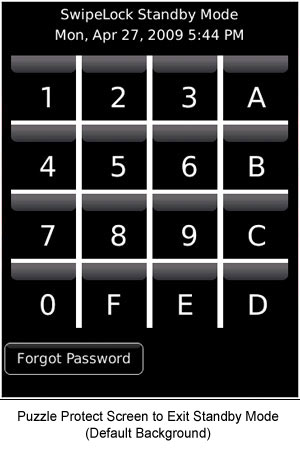
- Quickly lock your device and unlock using a unique finger swipe pattern on the touch screen – faster and easier than typing an alphanumeric password!
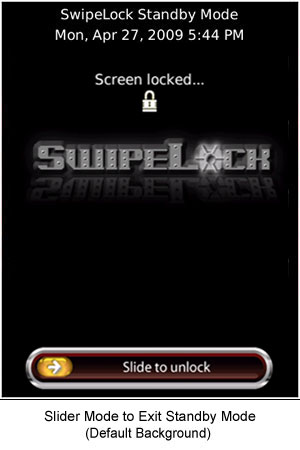
- Alternatively, unlock using the slide-to-unlock control (just like an iPhone) or a convenience key
- Locks the screen during phone calls, just like TalkLock™
- Customizable background image
Purchasing SwipeLock...
- SwipeLock for any BlackBerry Smartphone with a Touchscreen - ON SALE FOR $1.99


- SwipeLock is also available from BlackBerry App World under the "Utilities/Utilities" category
Features...
- Lock your device with the press of a key and/or automatically when the backlight goes out
- Unlock your device with a unique finger swipe pattern across a 4x4 grid on the screen ("Puzzle Protect" mode) -- faster and easier than typing an alphanumeric password!
- Alternatively, unlock using the slide-to-unlock control (just like an iPhone) or a convenience key
- Select a security question and enter an answer as a way to unlock your device if you forget your swipe pattern
- Locks the screen during phone calls, just like TalkLock™
- Easily customizable background image
What's New in Version 1.3.11...
Utility Information...
- Version 1.3.11
- 146KB
- Updated 5/21/2012
Requirements...
- Any BlackBerry Smartphone with a Touchscreen
More Information...
|

